
.
How to Order Online
1

Ordering on PC
Click Sign In at the top of the page.
2

Ordering on Mobile Device
Click on Menu in the top left corner of the page.
3

Ordering on Mobile Device Cont.
Click Sign In.
4

Register an account.
5

Fill out registration.
6
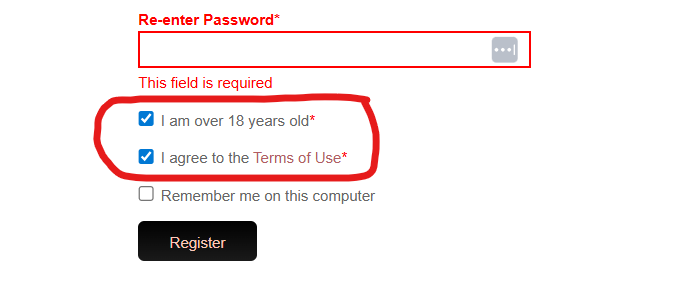
Agree to terms.
7

Create a Beauty Profile or Close Window.
Creating a Beauty Profile is optional. If you do not want to create a Beauty Profile, Click Close Window.
8

Select your product(s)
To View Selected Products you want to order,
Click View Bag when it appears.
9

OR click Bag in the top right corner of the page.
to View Selected Products you want to order.
10

To Checkout, View your Bag.
Then click Checkout at the Bottom of the page.
<—- Then select the following buttons to continue the checkout process.
11

Promo or Event Code
Enter Promo or Event Code, if given. then Click Apply and Continue.
If Promo or Event Code was not given, leave box blank and click Continue.
12
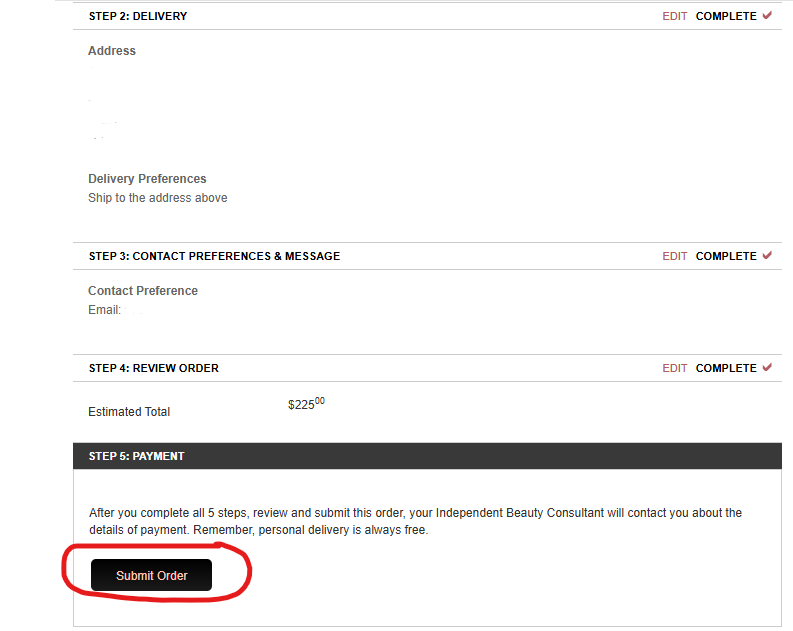
Review your information and click Submit Order.
Enter Payment information on the next page.
Confirm your order.